
In August 2009 I bought another Panasonic camera to replace the trusty old DMC-FZ20. I wanted something with more megapixels, to increase the saleability of my photos. The DMC-FZ38 is a 12 megapixel bridge camera with an 18 times zoom lens.
Bridge cameras are compact cameras with an electronic viewfinder, which makes them look like small SLRs. I like the way that I can adjust the focus of the viewfinder so that the image and menus are clear, without having to wear my spectacles. They are also easier to see under all conditions than the screen on the back of a compact camera, because one's head stops light hitting the screen.
The results are good, but the build quality is rubbish. In the first year it had to be repaired three times, unlike my previous two Panasonic cameras which have never been repaired.
One of the failures happened last July, which is at the beginning of the Cross-channel swimming season, so I looked for another camera. Panasonic were not top of the list of brands, because of the reliability issues with the DMC-FZ38.
The first thing I did was to look at a number of reviews on the internet, for example www.dpreview.com and www.trustedreviews.com, Cnet and various camera sellers.
That didn't help much, because most reviews were for digital SLRs and these are too bulky for me to use whilst observing swims. The next step was to visit some retailers and see what they had to offer. This may be a little more expensive than buying of the net, but proved to be worth its weight in gold. Currys and Jessops were both happy for me to buy a camera, try it for a few days, then return it for a full refund. Tescos will also usually allow this, but strangely Argos which built its reputation on its 30 day money back guarantee won't. Their small print specifically excludes digital cameras, amongst other electronics, from this guarantee.
I tried a couple of Canons, a Nikon and a Fuji, but the results from them were all disappointing. They all lacked features that I've come to expect, from years of using Samsung and Panasonic cameras.
After three weeks of testing I was fed up with trekking back to Canterbury to exchange yet another camera, so I ended up with a Panasonic TZ8.
This is a 12 megapixel 12x zoom compact camera, with lots of scene modes, which I don't use, and PASM (Program, Aperture priority, Shutter priority and Manual) which give me all the control I need. It also takes high definition 720p video, though it doesn't have a dedicated video button like the DMC-FZ38.
I takes good photos, which is the main thing, but it too developed a fault a month ago and had to be sent away for repair.
I suppose I really need one of those tough, waterproof, cameras that every manufacturer produces nowadays, but none of them meet my requirements. These are:
* 10-20 zoom;
* PASM modes;
* Optical, or Electronic, viewfinder;
* 12+ megapixels;
* Aperture range from f2.8 to f8, or more. Not just fully open, or closed, like Sony's cameras. a real range of apertures.
* Ideally f2.8, or better, throughout the zoom range, like the DMC-FZ20.
If any manufacturer produces a camera that meets this specification, I would love to hear about it.
Showing posts with label camera. Show all posts
Showing posts with label camera. Show all posts
Monday, 28 March 2011


Tuesday, 18 May 2010
New Camera
If you've read my other blog, you'll know that I spend the summer observing channel swims. These are quite challenging photographically, because:
The observer is on a small boat bobbing up and down in the English Channel.
The swimmer, who is the main subject is also bobbing up and down and usually moving forward too.
Swims often start in the middle of the night, so there is little light and the weather can change from one minute to the next.
My trust Panasonic cameras (DMC-FZ20 and LS80) have given good service, but neither gives good results at high ISO settings and the DMC-FZ20 is only 5 megapixels. I therefore started looking for a replacement and instead of just diving in and buying the first camera I saw I did lots of research.
I was looking for 12 megapixels, good high ISO/low light performance, 12x zoom, manual, or at least versatile controls.
The first candidate was a Fuji S8100fd, which I actually bought, because it seemed to have a good spec and the price was reasonable. Unfortunately both examples that I tried suffered from a weird fault. As soon as I pressed the shutter release the viewfinder (or the LCD screen) went blue and fuzzy, so that it was impossible to see whether the subject was in focus. The camera was returned to the shop and I went back onto the internet to carry out more research.
The Canon G10, or G11, are highly rated, but only have 5x zoom. That's less than half the range of the DMC-FZ20, which I felt was too limiting. The Nikon range has the P100, but the reviews I read didn't rate it very highly.
In the end I just had to buy another Panasonic, the DMC-FZ38 (FZ35 in the USA), which ticked most of the boxes. The only things that let it down are the low light performance, which blurs details at ISO 800, or more.
The biggest drawback is that all Panasonic camera number images from P100000, so I now have at least 3 files with the same file names. Panasonic please take note!
The observer is on a small boat bobbing up and down in the English Channel.
The swimmer, who is the main subject is also bobbing up and down and usually moving forward too.
Swims often start in the middle of the night, so there is little light and the weather can change from one minute to the next.
My trust Panasonic cameras (DMC-FZ20 and LS80) have given good service, but neither gives good results at high ISO settings and the DMC-FZ20 is only 5 megapixels. I therefore started looking for a replacement and instead of just diving in and buying the first camera I saw I did lots of research.
I was looking for 12 megapixels, good high ISO/low light performance, 12x zoom, manual, or at least versatile controls.
The first candidate was a Fuji S8100fd, which I actually bought, because it seemed to have a good spec and the price was reasonable. Unfortunately both examples that I tried suffered from a weird fault. As soon as I pressed the shutter release the viewfinder (or the LCD screen) went blue and fuzzy, so that it was impossible to see whether the subject was in focus. The camera was returned to the shop and I went back onto the internet to carry out more research.
The Canon G10, or G11, are highly rated, but only have 5x zoom. That's less than half the range of the DMC-FZ20, which I felt was too limiting. The Nikon range has the P100, but the reviews I read didn't rate it very highly.
In the end I just had to buy another Panasonic, the DMC-FZ38 (FZ35 in the USA), which ticked most of the boxes. The only things that let it down are the low light performance, which blurs details at ISO 800, or more.
The biggest drawback is that all Panasonic camera number images from P100000, so I now have at least 3 files with the same file names. Panasonic please take note!
Monday, 15 December 2008
Panasonic DMC-LS80
The next camera I tried was a Panasonic DMC-LS80; it wasn't my first choice, but that one was only in stock in pink.
It's another 8megapixel camera with 3x optical zoom and loads of scene modes. I seldom use scene modes, because it's always possible to take a good photograph using aperture priority, shutter priority, or program mode. I would rather have a better lens or sensor, or quicker operation, than so many modes that it's difficult to know which one to use.
I certainly don't feel the need for Portrait, Soft Skin, Self Portrait, Scenery, Sports, Night Portrait, Night Scenery, Food, Party, Candle Light, 2 baby modes, Sunset, High Sensitivity, high-speed burst, Starry Sky, Fireworks, Beach, Snow and Aerial Photo modes. 1, or 2, of them may be useful, but I usually find that I can fool cameras into making the adjustments I want. Pointing the camera at an appropriate part of the scene can make it expose for the most important elements.
The Panasonic seems to be producing acceptable results. Not as good as my old DMC-FZ20, which has a Leica lens, but pretty good as this photo shows.

This is a 100% crop from it.
I think it's the best so far, it will do until I can afford a Nikon, or Leica.
It's another 8megapixel camera with 3x optical zoom and loads of scene modes. I seldom use scene modes, because it's always possible to take a good photograph using aperture priority, shutter priority, or program mode. I would rather have a better lens or sensor, or quicker operation, than so many modes that it's difficult to know which one to use.
I certainly don't feel the need for Portrait, Soft Skin, Self Portrait, Scenery, Sports, Night Portrait, Night Scenery, Food, Party, Candle Light, 2 baby modes, Sunset, High Sensitivity, high-speed burst, Starry Sky, Fireworks, Beach, Snow and Aerial Photo modes. 1, or 2, of them may be useful, but I usually find that I can fool cameras into making the adjustments I want. Pointing the camera at an appropriate part of the scene can make it expose for the most important elements.
The Panasonic seems to be producing acceptable results. Not as good as my old DMC-FZ20, which has a Leica lens, but pretty good as this photo shows.

This is a 100% crop from it.

I think it's the best so far, it will do until I can afford a Nikon, or Leica.
Fuji J50
I returned the Samsung and looked to see what else Tesco offered at a similar price. The Fuji J50 was more expensive, but seemed to tick all the right boxes and it was a Fuji. I've previously owned two Fuji cameras the excellent S7000 and the dead F700, so I have mixed feelings.
The S7000 is brilliant, it has an advanced sensor that records double the number of pixels of other cameras. Each point on the sensor can record a similar range of brightness to other cameras and also much higher levels of brightness. This is excellent for outdoor photography as it shows much more detail in clouds, for example.
The J50 was another disappointment, it too did not match my expectations. Like many recent cameras it has a large variety of scene modes, including at least one for photographing babies???
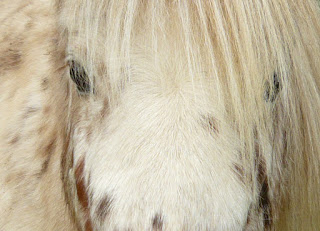
Here's another photo of our Miniature British Spotted Pony, which is very similar to that in my last post.

I took the camera back and managed to obtain a refund. Full marks Tesco, that's what I call Customer Service.
The S7000 is brilliant, it has an advanced sensor that records double the number of pixels of other cameras. Each point on the sensor can record a similar range of brightness to other cameras and also much higher levels of brightness. This is excellent for outdoor photography as it shows much more detail in clouds, for example.
The J50 was another disappointment, it too did not match my expectations. Like many recent cameras it has a large variety of scene modes, including at least one for photographing babies???
Here's another photo of our Miniature British Spotted Pony, which is very similar to that in my last post.

I took the camera back and managed to obtain a refund. Full marks Tesco, that's what I call Customer Service.
Friday, 14 November 2008
Samsung L100
I have always tried to carry a camera in my pocket, since climbing over the dunes near here and seeing a beautiful tall ship. It was close to shore and would have made a photo to remember, if only I had taken my camera.
I made up my mind to always carry a camera after that incident and the Fuji F700 was small and light enough to accompany everywhere for 3 years, until it died in autumn 2007. Money was tight, since I have no job, so I looked for a cheap replacement. Tesco sell Technika cameras, which are really very cheap, so I thought I'd try the Technika SA-H366 a 10 megapixel model. The results were frankly appalling, so I soon returned it and upgraded to a Samsung S85 (N.B. the Samsung D85 is identical, except that it's black, instead of silver).
This has been my constant companion for the last 10 months, but it failed to close last week, so it was back to Tesco. The camera was still within Tesco's 1 year warranty, but no longer stocked, so they offered me a replacement.
I searched the meagre details displayed in store and eventually settled for the Samsung L100. This is available in Black, Silver and Pink, needless to say I did not chose pink.
It's a nice little camera, about the size of a packet of cigarettes, with many good features. Face detection, digital image stabiliser (anti-shake) and a good ISO range from 100 - 1600.
I thought that it was a bit too small, even though I don't have very big hands. It was easy to use, with a similar menu layout to the S85.
The aluminium body meant that felt solid despite its small size, but I was really unimpressed by the picture quality. I always set digital cameras to their highest quality setting. There's no point skimping, as memory cards are so cheap.
I think that the processor was too aggressive when creating the jpeg, or the lens is just not good enough for the 8 megapixel chip.
Here's an example photo:

And this is a 100% crop (I viewed the image at 100%, so that I could see the actual pixels recorded by the camera, then cut this out of the image and saved it).

To me it looks like an artist has lost his patience and painted some of the picture with a very large brush.
I made up my mind to always carry a camera after that incident and the Fuji F700 was small and light enough to accompany everywhere for 3 years, until it died in autumn 2007. Money was tight, since I have no job, so I looked for a cheap replacement. Tesco sell Technika cameras, which are really very cheap, so I thought I'd try the Technika SA-H366 a 10 megapixel model. The results were frankly appalling, so I soon returned it and upgraded to a Samsung S85 (N.B. the Samsung D85 is identical, except that it's black, instead of silver).
This has been my constant companion for the last 10 months, but it failed to close last week, so it was back to Tesco. The camera was still within Tesco's 1 year warranty, but no longer stocked, so they offered me a replacement.
I searched the meagre details displayed in store and eventually settled for the Samsung L100. This is available in Black, Silver and Pink, needless to say I did not chose pink.
It's a nice little camera, about the size of a packet of cigarettes, with many good features. Face detection, digital image stabiliser (anti-shake) and a good ISO range from 100 - 1600.
I thought that it was a bit too small, even though I don't have very big hands. It was easy to use, with a similar menu layout to the S85.
The aluminium body meant that felt solid despite its small size, but I was really unimpressed by the picture quality. I always set digital cameras to their highest quality setting. There's no point skimping, as memory cards are so cheap.
I think that the processor was too aggressive when creating the jpeg, or the lens is just not good enough for the 8 megapixel chip.
Here's an example photo:

And this is a 100% crop (I viewed the image at 100%, so that I could see the actual pixels recorded by the camera, then cut this out of the image and saved it).

To me it looks like an artist has lost his patience and painted some of the picture with a very large brush.
Monday, 19 March 2007
Getting started with a new camera
It is usually very easy to take your first photo with a digital camera, but there are some things to beware of:
- Does the camera have a rechargeable battery? If so you will need to charge it before you can use the camera. It is best to leave it on charge overnight the first time, even if the indicator goes out or changes colour.
- Does the memory card need formatting? You did remember to buy a bigger card, didn't you? Most cameras do not require you to format their cards, but some do.
Switch the camera on, point it and press the shutter release. It's that simple, because the default settings for every camera that I've ever used make it so.
The automatic settings are designed to take a reasonable photograph of a static subject in daylight. We will discuss how to broaden the scope of your photography in a later blog, but for now go off and fill the card.
Wednesday, 7 March 2007
Choosing your first camera
This post will tell you what to look for in a digital camera and what to avoid. It is based on the experience I have gained from buying and using half a dozen digital cameras over the last 7-8 years and over 30 years of photography using conventional film cameras.
The best cameras are digital SLRs. They have the biggest sensors and lots of accessories to help you take photographs in almost any situation.
I don't have one! I would like to, but I can't afford to buy one yet. The price is dropping rapidly and I hope to buy one within a year, or two, but they are still expensive and I can't justify the cost.
I assume that you are reading my post, because you want to get into digital photography, but need some help. In that case feel free to ask me questions, but do not go out and buy a digital SLR. In fact don't buy any camera just yet.
Ask yourself the following questions first:
The best cameras are digital SLRs. They have the biggest sensors and lots of accessories to help you take photographs in almost any situation.
I don't have one! I would like to, but I can't afford to buy one yet. The price is dropping rapidly and I hope to buy one within a year, or two, but they are still expensive and I can't justify the cost.
I assume that you are reading my post, because you want to get into digital photography, but need some help. In that case feel free to ask me questions, but do not go out and buy a digital SLR. In fact don't buy any camera just yet.
Ask yourself the following questions first:
- What will I photograph?
- When will I take photos?
- How big do I want to print my pictures?
- What can I afford?
If you are going to take photographs for the family album a simple camera with a flash may be suitable. It's worth trying to find one with an optical zoom lense, if you can. Avoid cameras made by electronics companies, unless they are associated with a traditional camera or lens company.
e.g. Sony and Carl Zeiss, Samsung and Schneider, Panasonic and Leica, HP and Pentax
Something like this:
Amazon's blurb says that it has:
- 4 million effective pixels, usually this is quoted as 4 megapixel, or 4.0mp. More is better, but 4.0mp should produce at least an A4, or letter, sized photographic quality print;
- 3 x optical zoom, just what the doctor ordered. Ignore anything about digital zoom, I'll cover that in a later post. Optical zoom is what you need to get closer to the action, so bigger is better;
- Special scene settings these allow you to quickly optimise the camera for portrait, sports photo, landscape or night scenes;
- Movie mode is not as good as a proper video camera, but it's OK if you just want something to email or view on your PC.
- 12MB internal memory, might be useful as a last resort, but you still need a memory card!
What it doesn't say is:
- The batteries supplied with it will not last very long, so make sure that you buy more. I recommend buying a charger and rechargeable Ni-MH batteries like these:
The camera only takes 2 batteries, so you can still use the camera while you're charging batteries.
- There are many different types of memory for cameras, make sure that you buy the correct type and size. The types are not interchangeable and many cameras cannot use the largest available cards. This camera uses XD cards like:
It's better to buy 2-3 cards of 256, or 512, mb than to buy the largest card you can afford. That way if the card is damaged, or lost, you won't lose all of your images.
You should be able to connect the camera directly to your PC, but a card reader is handy. Especially if both sets of batteries are flat.
Although I have said that bigger is better, don't go over the top and if possible try to get your hands on a camera before you buy. If you don't have a camera shop locally, look for a review on http://www.dpreview.com/.
If you have any questions about anything in this blog please ask and I'll try to answer.
Exposure part 1
As I said yesterday a camera is just a lightproof box, simple cameras provide little control over the light entering the box.
They will work in reasonably bright light and everything from about 3-5 feet (90-150 cm) will be in focus. You have to remember that the camera is a precision instrument, it will record what it sees.
Your eyes on the other hand change focus and adjust to different light levels without you noticing. If you wait long enough and have normal eyesight you will be able to see in almost total darkness. The eye can handle an enormous range of light intensity, but even the best film, or digital, camera has a much more limited range.
We can compensate for this by adjusting the exposure in two ways. Increase the aperture, or slow the shutter speed, when it's dark; reduce the aperture, or increase the shutter speed, when it's bright.
Professional photographers have cameras that give them total control. This costs money, but there are ways to achieve very good results without buying a very expensive camera.
If you have a simple digital camera try this experiment, with it set on automatic (A, or P):
On a reasonably bright day go outside and point the camera at your house, or apartment building. Make sure that you include some sky in the picture and have the sun in front of you, but behind the building. If the building is too big, photograph something else. The actual subject doesn't matter, it just has to be reasonably big, not shiny and not too bright.
You will notice that the building is brighter than it looks, and the sky will be almost white.
Try again, but this time point the camera at the sky, so that the subject is below the central auto-focus frame.
The building will now be too dark, but the sky will be correctly exposed.
They will work in reasonably bright light and everything from about 3-5 feet (90-150 cm) will be in focus. You have to remember that the camera is a precision instrument, it will record what it sees.
Your eyes on the other hand change focus and adjust to different light levels without you noticing. If you wait long enough and have normal eyesight you will be able to see in almost total darkness. The eye can handle an enormous range of light intensity, but even the best film, or digital, camera has a much more limited range.
We can compensate for this by adjusting the exposure in two ways. Increase the aperture, or slow the shutter speed, when it's dark; reduce the aperture, or increase the shutter speed, when it's bright.
Professional photographers have cameras that give them total control. This costs money, but there are ways to achieve very good results without buying a very expensive camera.
If you have a simple digital camera try this experiment, with it set on automatic (A, or P):
On a reasonably bright day go outside and point the camera at your house, or apartment building. Make sure that you include some sky in the picture and have the sun in front of you, but behind the building. If the building is too big, photograph something else. The actual subject doesn't matter, it just has to be reasonably big, not shiny and not too bright.
You will notice that the building is brighter than it looks, and the sky will be almost white.
Try again, but this time point the camera at the sky, so that the subject is below the central auto-focus frame.
The building will now be too dark, but the sky will be correctly exposed.
Tuesday, 6 March 2007
Getting Started
The title of this blog is 'Digital Photography for Everyone', so I will assume that your only experience of photography is saying cheese when Uncle Fred pointed his camera at you.
Digital Photography is very similar to any other form of photography, you need:
They are described as point and click, because that's all you have to do. This one is fine, if you will only be taking holiday snaps, but don't expect to get good pictures in all conditions.
As far as I know all digital cameras have automatic exposure. This means that they will adjust the shutter to allow the right amount of light to hit the sensor to ensure that you end up with an image. It may not be art, but you will see something.
This is an example of what can go wrong:
There are a number of things wrong with this photo, even though my camera has more features than the one above.
It is not the camera's fault, but the photographer's - me.
The faults include:
It's blurred, parts of it are too dark and some are too light, the composition is terrible.
Later I'll dig deeper into the basics, but for now you need to know that buying the camera is not enough. You should also buy at least one memory card, a spare battery and a case.
Digital Photography is very similar to any other form of photography, you need:
- Something to register an image; film in a traditional camera, a chip in a digital camera;
- A way of controlling the amount of light captured; a shutter;
- A lense to focus the image.
The simplest cameras are lightproof boxes with a simple lens and fixed shutter like this one from Samsung:
They are described as point and click, because that's all you have to do. This one is fine, if you will only be taking holiday snaps, but don't expect to get good pictures in all conditions.
As far as I know all digital cameras have automatic exposure. This means that they will adjust the shutter to allow the right amount of light to hit the sensor to ensure that you end up with an image. It may not be art, but you will see something.
This is an example of what can go wrong:

There are a number of things wrong with this photo, even though my camera has more features than the one above.
It is not the camera's fault, but the photographer's - me.
The faults include:
It's blurred, parts of it are too dark and some are too light, the composition is terrible.
Later I'll dig deeper into the basics, but for now you need to know that buying the camera is not enough. You should also buy at least one memory card, a spare battery and a case.
Subscribe to:
Posts (Atom)